How to Get More Google Reviews: 12 Proven Tactics (+ a Policy-Safe QR Guide)
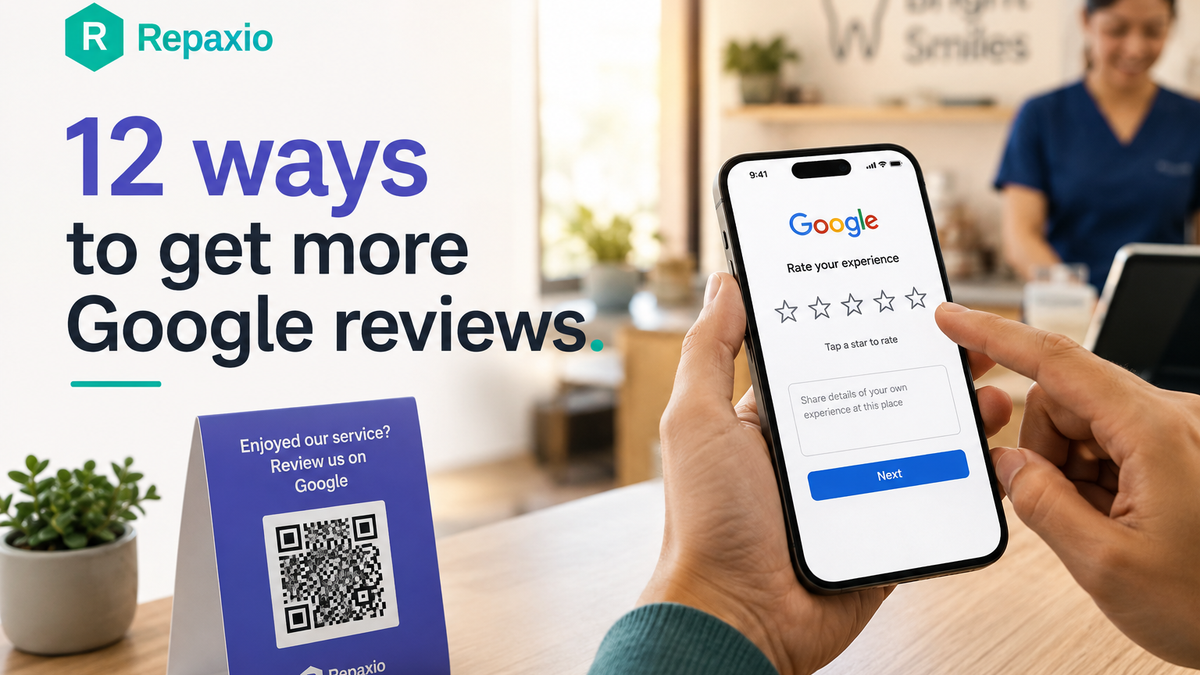
Quick answer: The fastest way to get more Google reviews is to ask every customer right after a good experience, using a one-tap link or QR code that opens the review screen. Ask everyone the same way — not just the happy ones — and reply to every review within a day. That's the whole system. The rest is making it consistent.
By the Repaxio Team — the AI Growth OS for local businesses. About us »
Most owners treat reviews like weather: something that happens to them. A good week brings a couple of five stars, a bad day brings a one star, and the profile drifts along on its own.
It doesn't have to work that way. Reviews are one of the few marketing assets you can build on purpose, and the businesses that do it end up with a quiet, compounding advantage: they show up higher on Maps, they win the click, and they close the sale before a competitor gets a word in.
Here's the frustrating part. Only about 5–10% of customers leave a review without being asked (Ansview, 2026). Ask, and most will say yes. The gap between those two numbers is where your next hundred reviews are hiding — and closing it costs nothing but a system.
Why do Google reviews matter so much in 2026?
Because your customers read them before they ever meet you. BrightLocal's 2026 Local Consumer Review Survey — 1,002 US adults, published in February — found that 97% of consumers read reviews before choosing a local business, and 41% now always read them when browsing, up sharply from 29% a year earlier.
The bar has also risen. In the same survey, 31% of people said they'll only use a business rated 4.5 stars or higher (up from 17%), and 74% specifically look for reviews written in the last three months. A dusty 4.9 from 2021 doesn't reassure anyone. Fresh, steady reviews do.
And there's a newer wrinkle: AI. BrightLocal found the share of consumers using AI tools like ChatGPT and Google's AI Mode to find local businesses jumped from 6% to 45% in a single year. Those tools summarize your reviews to answer "what's the best salon near me." The more real, recent reviews you have, the more there is for them to pull from — and the better you look when a machine is doing the recommending.
Translation: your reviews are working for you (or against you) around the clock, in search, on Maps, and increasingly inside AI answers. Worth doing well.
How do you actually get more Google reviews?
Here are 12 tactics that work, ordered roughly from foundation to advanced. You don't need all of them. Pick two or three that fit how you already run things, get them consistent, then add more.
1. Claim your profile and grab your direct review link. None of this works without a verified Google Business Profile. Once it's yours, get your direct review link — the one that opens the review box, not just your listing. You can generate it inside your profile ("Ask for reviews") or build a Place ID link. Every ask below points to this one link.
2. Ask everyone — the same way, every time. This is the whole ballgame, and it's the tactic most owners skip because it feels awkward. Build the ask into your normal close: "If you've got 30 seconds, a quick Google review really helps us." Say it to every customer, not just the ones you sense are thrilled. (That "not just the happy ones" part isn't only good manners — it's the law now. More on that below.)
3. Ask at the peak-happy moment. Timing beats persistence. The best moment is right when the value lands — the haircut looks great, the leak is fixed, the meal just hit the table. Ask then, or trigger an automated follow-up a day or two later while it's fresh. A request sent a week late gets ignored.
4. Make it one tap. "Search for us on Google and leave a review" loses people at "search." A texted link or a scannable QR code that opens the review screen directly removes every step between willing and done. Friction is the enemy; one tap is the goal.
5. Put a QR code in the customer's hand. A clean review card with your logo, a thank-you line, and a QR code — handed over by a staff member or tucked into the bag — is the single highest-leverage offline move. Place codes where people are already waiting: the counter, the receipt, the table tent, the packaging. (Full setup in the QR guide below.)
6. Use SMS for the ask. For US businesses, a text is hard to beat — it gets opened, and it carries a tappable link straight to the review screen. Keep it short and human: "Hi Sara, thanks for coming in today! If you have a sec, we'd love a quick Google review: [link]." One line, one link, done.
7. Send an automated email sequence. Email scales the ask without you remembering to send it. Personalize it — use the first name, mention the specific service, send it from a real person's name, not a no-reply inbox. Trigger it after the visit, and set it to stop the moment someone reviews so you're never nagging a customer who already came through.
8. Train your team and give them one sentence. Most review strategies die because nobody wants to ask. Fix that by writing the ask down — one sentence — and having your frontline staff practice it until it's natural. You can run internal contests or reward your team for collecting reviews; what you can't do is reward the customer (that's an incentive, and it's banned). Motivate the people asking, not the people reviewing.
9. Reply to every review, fast. Responding is a growth tactic, not just good manners. A profile where the owner answers looks alive and accountable; a wall of silent reviews looks abandoned. It matters more than ever: in 2026, 19% of reviewers expect a same-day response and another 32% want one by the next day. Replying quickly also nudges other customers to add their own — an active listing invites participation.
10. Ask for a photo. A review that says "great pizza" next to an actual photo of the pizza is far more persuasive than five text-only ones, and Google tends to surface photo reviews more prominently. Add a gentle nudge to your request: "If you have a sec, a quick photo really helps other customers." Small ask, outsized payoff.
11. Frame the ask as helping neighbors. Home-service and professional businesses often see better response rates when they reframe the request from "help us" to "help your community": "We run on word-of-mouth, so your review helps your neighbors find someone they can trust." It shifts the favor from selfish to civic, and people say yes more often.
12. Catch problems privately — without hiding the public option. Offer unhappy customers an easy way to reach you directly so you can fix things fast. Crucially, this supplements the review ask; it never replaces it. Everyone still gets the same Google link. Done right, you resolve issues before they harden into public one-stars — and you keep improving the experience that earns the good reviews in the first place.
How do you make a Google review QR code (the right way)?
QR codes are the highest-converting offline tactic, and they're simple to set up. Three steps:
- Get your direct review link. Inside your Google Business Profile, use "Ask for reviews" to copy your short review URL, or build a Place ID–based link. The key: it should open the review composer, not just your listing.
- Generate the QR code from that link. Any reputable free QR generator works. Better still, use a trackable link so you can see which placements actually drive reviews.
- Place it where people wait — and test. Counter, receipt, table tent, invoice, packaging, the back of a business card. Refresh placement every so often so it doesn't become invisible. Watch your tracking and double down on the spots that convert.
One caution Google added in early 2026: don't turn this into an on-premises kiosk — a shared tablet where you pressure customers to review on the spot. A dedicated device pushing on-site reviews from one IP address looks like manipulation to Google's spam systems and can get reviews wiped. A QR code the customer scans with their own phone, on their own time, is fine. A tablet you hand them to review before they leave is not.
What will get your Google reviews removed?
This is the part most "get more reviews" guides skip, and it's the part that can undo everything. Google now enforces its review policies aggressively — it removed over 170 million reviews in 2023 alone — and the US FTC's 2024 rule made review manipulation a federal issue, with penalties reaching tens of thousands of dollars per violation. Fashion Nova was fined $4.2 million for suppressing reviews under four stars. This is not a gray area.
Per Google's own content policy, here's what you cannot do:
- No incentives. You can't offer money, discounts, free products, loyalty points, or a giveaway entry in exchange for a review — positive or negative. The reward taints it.
- No review gating. You cannot discourage negative reviews or selectively ask only your happy customers. Practically, that means you can't withhold the Google link from someone because you expect a low rating. Everyone gets asked the same way.
- No on-site pressure. Don't require or pressure customers to review while they're still on the premises (the kiosk problem), and — as of a 2026 update — don't ask them to name a specific staff member in the review.
- No insider reviews. Owners, employees, contractors, family, and close friends can't post reviews for your business. Undisclosed insider reviews also fall under the FTC's fake-review rule.
Here's the line worth memorizing, because it's subtle: collecting private feedback is fine. Using that feedback to decide who gets to post publicly is not. A compliant funnel invites all customers to review through the same link. It might gather private feedback first to catch issues — but it never blocks an unhappy customer from Google. Ask everyone, make it easy, respond to what comes. Do that and your reviews are bulletproof.
Where Repaxio fits
If doing all of this by hand sounds like a part-time job, that's the point of a system. Repaxio's Reputation tools send the same one-tap review invite to every customer by SMS or email at the right moment, track who's already been asked, and draft your replies for you to approve — with one honest rule baked in: the AI never auto-posts a reply to a negative review. A person always approves that one, because that moment needs judgment. And it gives you a private feedback inbox to catch problems early, without ever holding the Google link back from anyone.
Curious where you stand today? Run your free Reputation Score — it shows your live rating, how many reviews are sitting unanswered, and how you compare to a competitor. Takes about a minute.
FAQ
How many Google reviews do I need? There's no magic number — recency and consistency matter more than a total. Since 74% of consumers look for reviews from the last three months, a steady trickle of fresh reviews beats a big pile of old ones. Aim to make asking a habit rather than hitting a target.
Can I offer a discount for a Google review? No. Google and the FTC both prohibit offering anything of value — discounts, freebies, giveaway entries — in exchange for a review, whether it's positive or not. You can thank a customer after they voluntarily review, but you can't condition the reward on the review.
Can I ask only my happy customers to review? No. That's review gating, and it's explicitly banned. You must invite all customers the same way, regardless of how you expect them to rate you. Offer a private feedback channel if you like — but never withhold the public review link from anyone.
How do I get my Google review link or QR code? Open your Google Business Profile, choose "Ask for reviews," and copy the short review URL (or build a Place ID link). Feed that link into any QR generator. Make sure it opens the review box directly, not just your listing.
How fast should I respond to reviews? Fast. Over half of reviewers now expect a reply within a day, and responding to every review — good and bad — signals to both customers and Google that you're active and accountable. Same day is ideal for anything negative.
Why did some of my Google reviews disappear? Google routinely removes reviews it flags as fake, incentivized, or gated. If reviews vanished after a promotion or a "5-star for a discount" campaign, that's usually why. Stick to compliant, unincentivized asks and your reviews stay put.